Coupa Guide: Creating invoices

This guide explains how to create invoices using the Rentokil-Terminix Coupa supplier portal

Navigate to Invoices

To create an invoice click the Invoices button on the bar at the top of the screen as shown below.
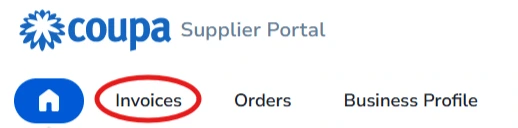
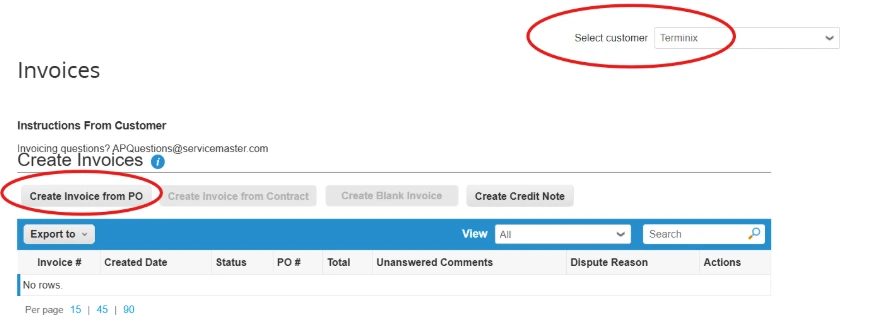
Coupa supplier portal: Invoices tab

Creating an Invoice

  • Click “Create Invoice from PO” and your Purchase Order screen will open
  • You can also Invoice from the Purchase Orders tab. Click the gold coin icon to Invoice from that Purchase Order
Coupa invoices

Read frequently asked questions about the Rentokil-Terminix Coupa supplier portal.

Need further assistance?

Reach out to the relevant team below. We'll be in touch as soon as possible.

For questions on invoices or payment-related inquiries please reach out to:

[email protected]

For all PO related inquiries please reach out to:

[email protected]

For all Supplier related inquiries please reach out to:

[email protected]